Start with the moment your desk gets messy
Picture a Monday morning at the dining table. Your laptop needs power, the presentation is on an external display, a camera card is waiting to be copied, and a wireless mouse receiver occupies the last available port. A hub is useful here because it removes repeated cable swapping. It is less useful if your entire routine consists of charging a laptop and opening a browser. Write down the devices you connect during one normal working day before browsing product grids. The right number of ports is the number you can explain, with a little room for the next foreseeable change.
Read the laptop specification first
A USB-C socket describes a physical connection; it does not tell you everything that connection can do. Find the manufacturer's port information for your exact laptop model and year. Look separately for display output, supported data connections, and charging input. Then write down the monitor's resolution and refresh rate and how you plan to connect it. If a product page promises two external screens, check the operating system and processor footnotes rather than assuming the promise applies to your computer. A slightly cheaper adapter that meets a confirmed requirement is a better purchase than an impressive dock with an uncertain match.
A travel hub and a fixed dock solve different problems
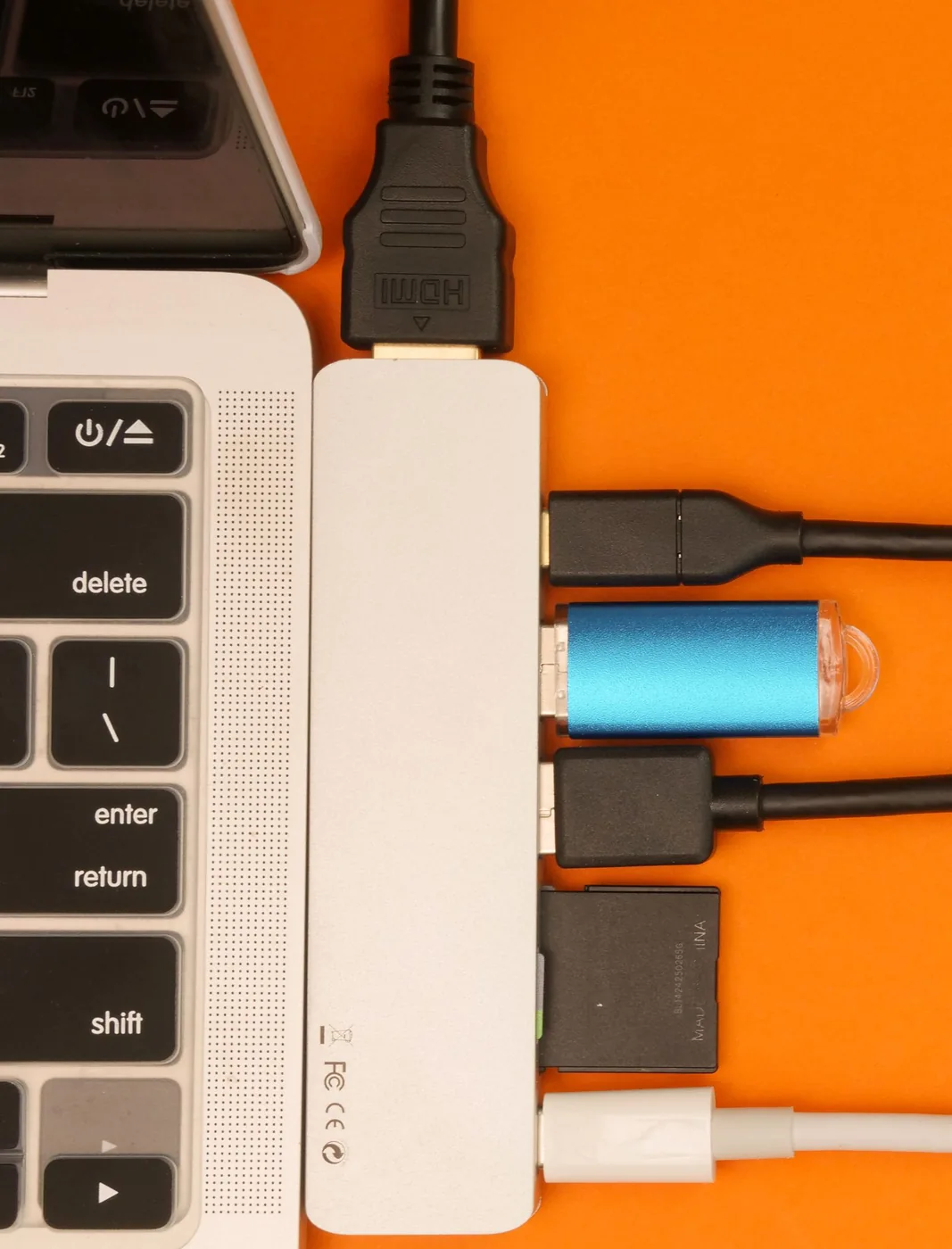
The Anker 555 is a compact multiport hub with HDMI, USB connections, card slots, and Ethernet. That makes it a candidate for a bag that moves between home and an office, based on its published port selection. CalDigit's TS4 belongs on the shortlist for a more permanent Thunderbolt desk. These are shopping starting points, not a performance ranking from hands-on testing. If you disconnect every evening, consider cable length and how the hub rests beside the laptop. If everything stays connected, desk space, a reachable power switch, and a stable position may matter more than pocketability.
Count power in the complete setup
The power figure on a hub's charging input is not necessarily the power that reaches the laptop. Anker lists the 555 with up to 100W input and 85W laptop output. Compare the documented output with your laptop's requirements, then check whether the required wall charger is included. Also consider a phone or portable drive drawing power at the same time. For a computer that struggles to maintain charge during demanding work, connecting its original charger separately may be the simplest arrangement. Buying a higher-rated hub does not force an incompatible laptop or cable to accept a higher charging rate.
Spend on the bottleneck you can name
For a single display and occasional file copying, a compact hub may be enough. A dedicated dock becomes easier to justify when it eliminates several daily connections or supports a specific workflow your smaller adapter cannot handle. Do not add the cost of a premium dock simply because it has more ports than the competition. A photographer might value accessible card slots; someone attending calls all day might value dependable wired networking. If neither feature enters your week, keep that money for a comfortable chair or a second backup. Treat the hub, charger, display cable, and any adapters as one purchase budget.
Check the physical details before checkout
Look at photographs of both sides of the device. A short attached cable can leave a hub dangling from a laptop stand, while closely spaced connectors can interfere with wide accessories. Think about the direction the HDMI cable must travel and whether the card slot remains reachable when the laptop is closed. Ask the seller about the return process if compatibility remains uncertain. Save the product page and your laptop's port specification with the receipt. That small record is useful when a later accessory introduces a problem, because you can distinguish a documented limitation from a setting or connection that needs attention.
Give it a realistic first evening
Within the return period, recreate your busiest ordinary setup: monitor attached, laptop charging, calls running, and a file copying to the drive you actually own. Watch for reconnections and verify the monitor setting inside the operating system rather than judging only by whether an image appears. Leave room around the hub and follow its ventilation instructions. If the arrangement works only after repeated cable reseating, resolve that while the retailer can still help. Keep the final connection simple enough that another household member could rebuild it. A good hub should make the desk easier to use each morning, not create another maintenance ritual.
Where to start looking
These are starting points for comparison, based on manufacturers’ published information. Check the exact version, compatibility, current availability, price, and return terms before ordering. Manufacturer links below are ordinary links unless specifically labeled as affiliate.
Anker 555 USB-C Hub
Consider for a mobile desk that needs several familiar connections.
The tradeoff: Check the laptop's display support and power requirements before ordering.
Manufacturer details ↗CalDigit TS4
Consider for a fixed desk with a documented Thunderbolt workflow.
The tradeoff: Its larger commitment in cost and desk space needs a specific benefit.
Manufacturer details ↗A few things you might be wondering
Will every USB-C hub work with my laptop?+
No. Verify the exact laptop's display, data, and charging support against the hub's requirements.
Should I buy a dock for one monitor?+
Only if its other connections simplify your routine enough to justify the total setup cost.
Sources & editorial notes
Manufacturer and primary-source information checked October 23, 2026. Buying advice reflects our editorial interpretation. Features and regional options can change.
See our editorial policy or request a correction.